4.12.1 How to start a session
How to start a session
Article goal
Understand how to activate pre-purchased tariffs and season passes so you can start a gaming session at a convenient time and use prepaid time as efficiently as possible.
Who this article is for
- Users with active season passes or time packages
- Clients who plan their club visits in advance
- Visitors who want to optimise usage of prepaid time
What you will learn
- How to activate purchased tariffs at any time
- How long unused tariffs are stored
- How to manage session activation and pausing
- Why it is worth buying tariffs in advance
Why buy tariffs in advance?
Buying tariffs and season passes in advance provides several advantages:
- Flexible usage — ability to activate a session at any time while the club is open
- Saving money — prepaid tariffs are often cheaper than one-time visits
- Avoiding queues — quick start of the game without going through the administrator
- Seat guarantee — ability to plan a visit in advance, especially during peak hours
- Long-term planning — tariffs are stored until they are used or expire
In short: buying tariffs in advance is profitable, convenient and allows flexible planning of club visits.
How purchased tariffs work
Activation at any time
- When you can activate: At any time while the club is open
- How to activate: Via the IZI app in a few taps
- Session control: You decide when to start and pause the game
Why this matters: You are not tied to a specific visit time and can come to the club spontaneously whenever you have the opportunity.
Tariff storage period
- Tariffs are stored until they are used
- Validity period depends on the tariff type (shown at purchase)
- Automatic deduction does not happen — only at your request
Why this matters: You can buy tariffs in advance, for example during a promotion, and use them when convenient without fearing losing money.
Step-by-step guide
Step 1. Check available tariffs
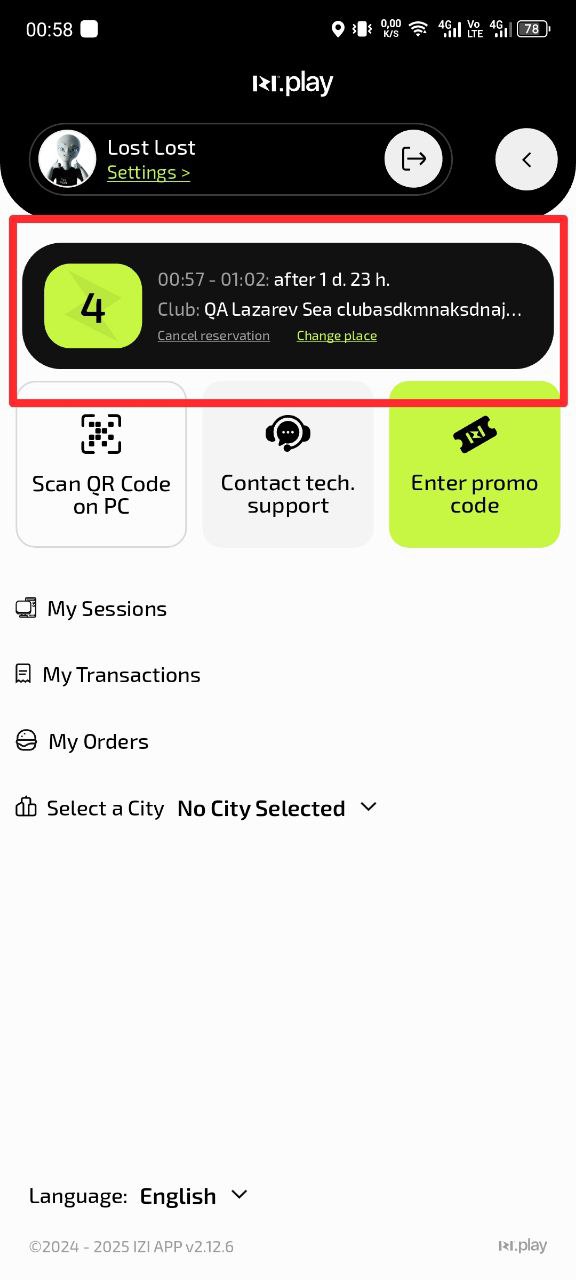
- Open the IZI app
- When the app opens, a screen will appear showing all your bookings
Why this matters: You see all available options and can choose the most suitable one for your current visit.
Step 2. Choose a tariff to activate
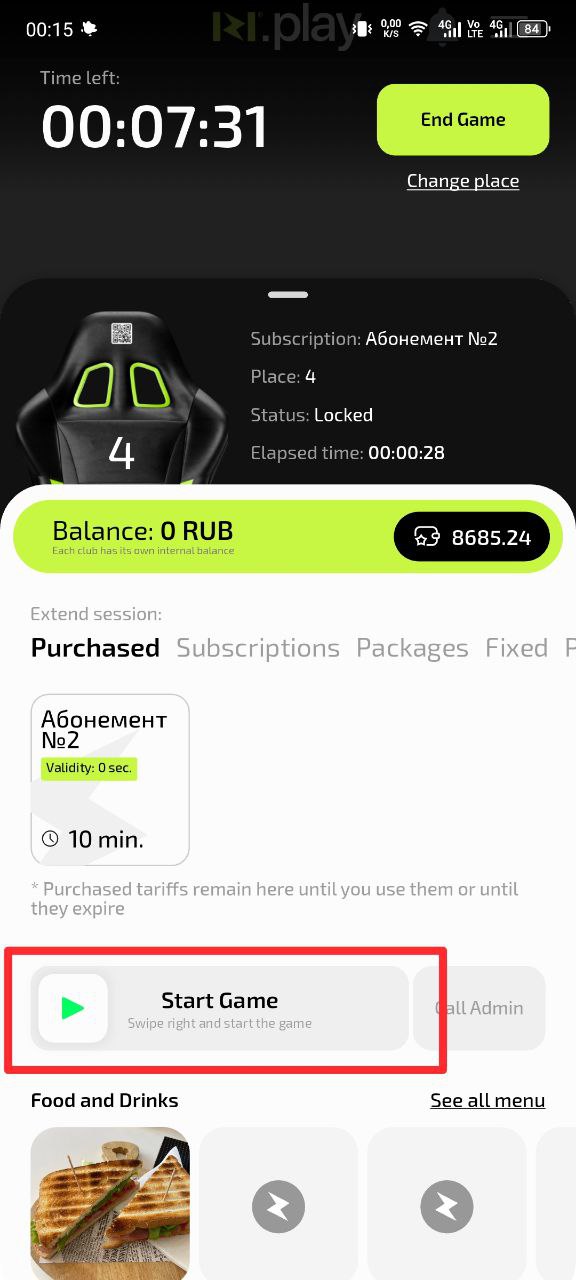
- Find the tariff you want to activate
- Check its validity period and conditions
- Swipe “Start game” from left to right
Why this matters: Different tariffs may have different usage conditions and prices.
Step 3. Complete activation
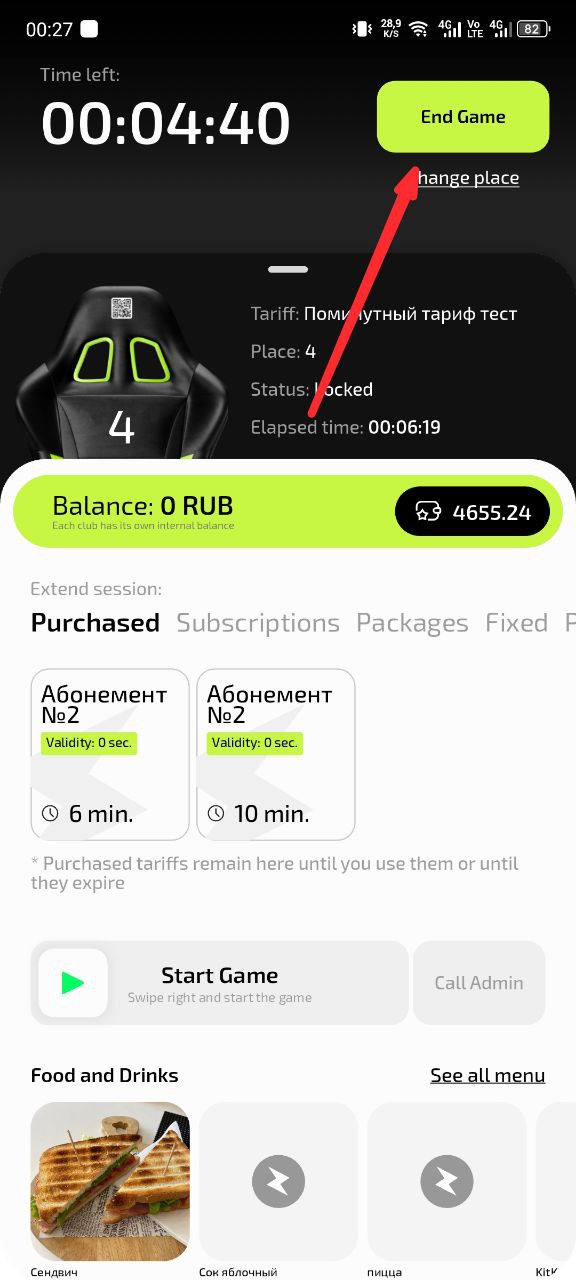
- Follow the instructions in the app
- Wait for the activation confirmation
- Start your gaming session
Why this matters: Correct activation guarantees that time will be deducted properly and you will get full access to the PC.
Common situations
| Problem | What to do and why |
|---|---|
| I can’t find the purchased tariff | What to do: Check the “My tariffs” section. Make sure the tariff has not been activated earlier. Why: Tariffs may move between sections depending on their status. |
| The tariff does not activate | What to do: Check the tariff validity period and make sure the club is open at this time. Why: Expired tariffs or non-working club hours block activation. |
| I want to pause the session | What to do: Use the pause function in the session management section. Why: This keeps the remaining time for use later. |
| The tariff validity period has expired | What to do: Purchase a new tariff. Expired tariffs cannot be restored. Why: This is a standard condition for prepaid tariffs. |