3.7 Orders map from the owner’s perspective
Article goal
Show how the club owner can use the “Orders map” section to control revenue, analyze the load of the bar and gaming seats, and detect issues in staff performance and sales processes.
Who this article is for
- Owners of computer clubs
- Managers
- Heads of club chains
What you will learn
- For which tasks the owner needs the “Orders map”
- How to track current orders in real time
- How to control the work of the bar and gaming services
- How to use the orders map for operational shift management
Prerequisites
Before you start, make sure that:
- You are logged into IZI CRM with an Owner account
- Tariffs, bar and payment methods are configured in the club
- There are active orders in the current shift
Purpose of the “Orders map” for the owner
The owner uses the Orders map not to perform operations but to:
- Control all active orders in the club
- Track revenue from services and bar in real time
- Check how the administrator works with orders
- Detect hanging, unpaid or erroneous orders
- Understand which zones, PCs and items are loaded right now
Important:
This section is not intended for historical analytics — it shows the current operational picture of the shift.
What information is displayed on the orders map
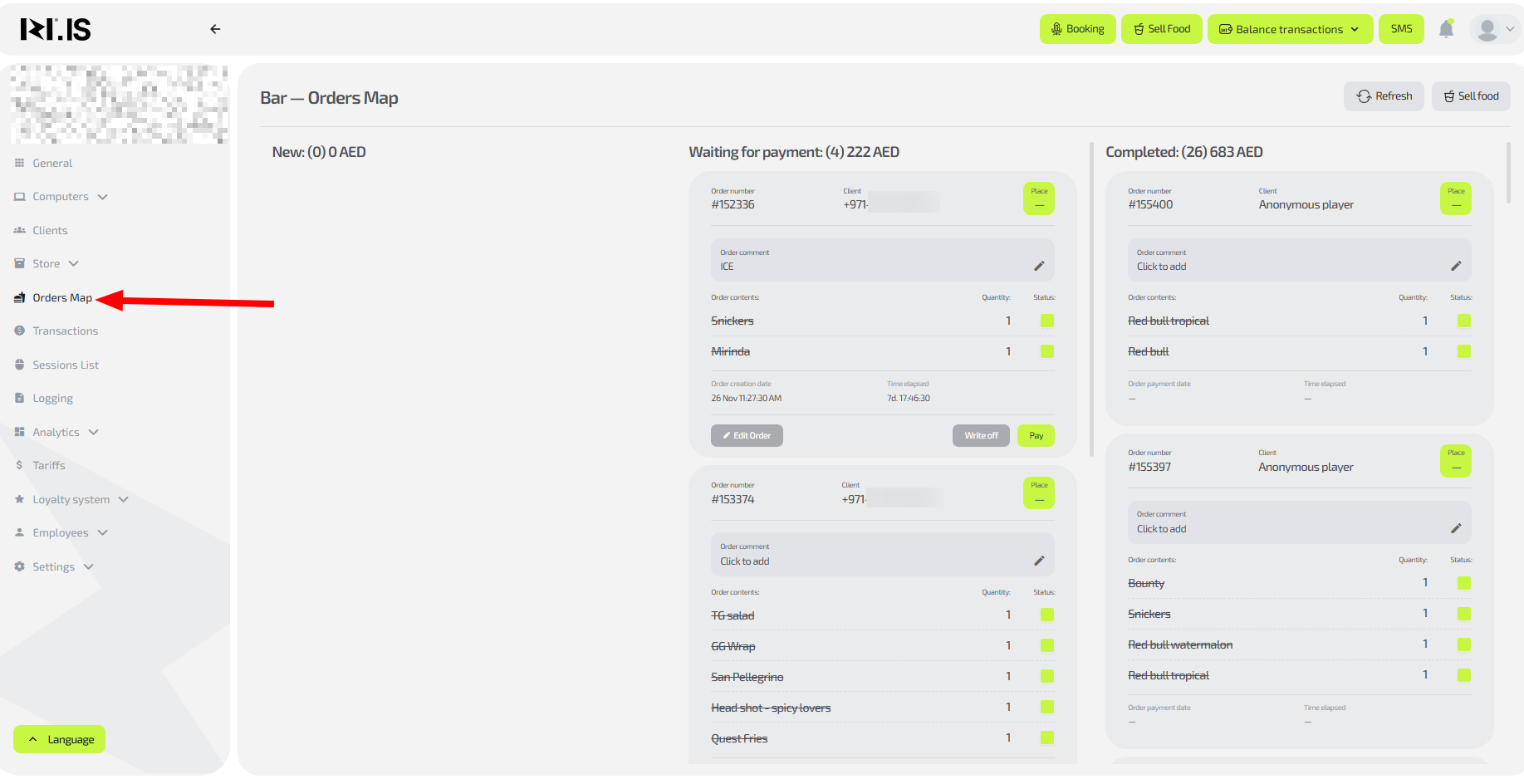
The owner sees:
- All active orders in the club
- Order type:
- Gaming session
- Bar order
- Mixed order
- Statuses:
- Awaiting payment
- Paid
- Completed
- Linked to:
- Client
- PC
- Administrator
- Order amounts
- Payment methods (cash, card, app)
This allows you at any moment to understand:
- Where revenue is being generated right now
- Whether there are problematic or hanging orders
- Whether there are any orders without payment
Which tasks the owner solves using the “Orders map”
Controlling current revenue
Allows you to see:
- How many orders are being processed right now
- What amounts go through the bar
- Whether there are unpaid items
Controlling administrator discipline
Helps to detect:
- Long payment waiting times
- Frequent manual interventions
- Suspicious cancellations
Controlling load of zones and services
From the orders map the owner sees:
- Which zones are loaded
- Where there are more orders
- Which services are sold more actively
Quick management decisions
For example:
- Bar is overloaded → add more staff
- Few orders → check administrator performance
- No orders in a specific zone → check tariffs
Common situations
| Situation | What it means |
|---|---|
| There is an unpaid order on the map | The client may still be paying or the administrator has not finished the operation |
| No orders while the club is operating | Check whether the shift is open |
| Many cancelled orders | Check the administrator’s work |
| No bar orders | There may be an issue with the menu, prices or staff |